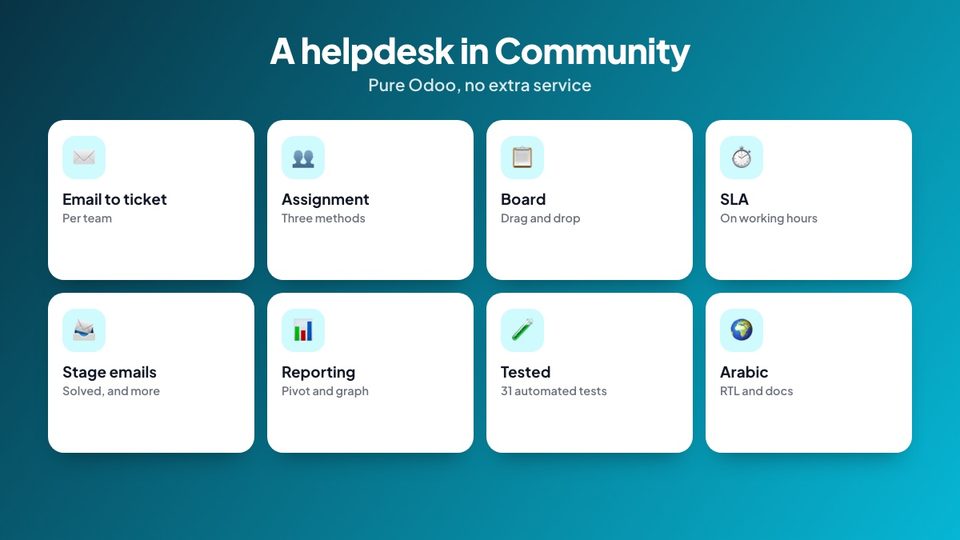
Requests in a shared mailbox, nobody knows who answers, the urgent one waits. Helpdesk & Support Tickets gives Odoo Community a real helpdesk.
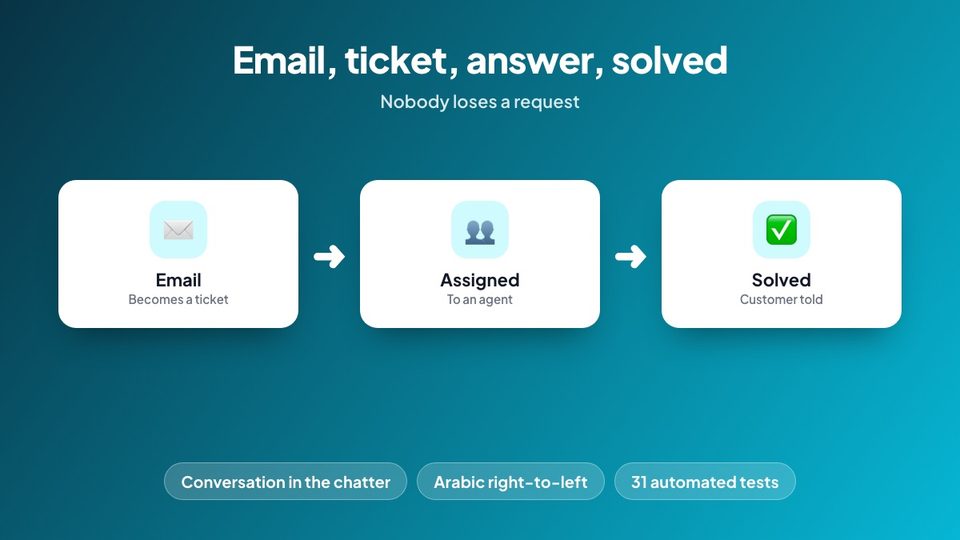
From email to solved
A ticket for every request: from an email sent to the address of a team, or by hand; the sender is found or created as a customer
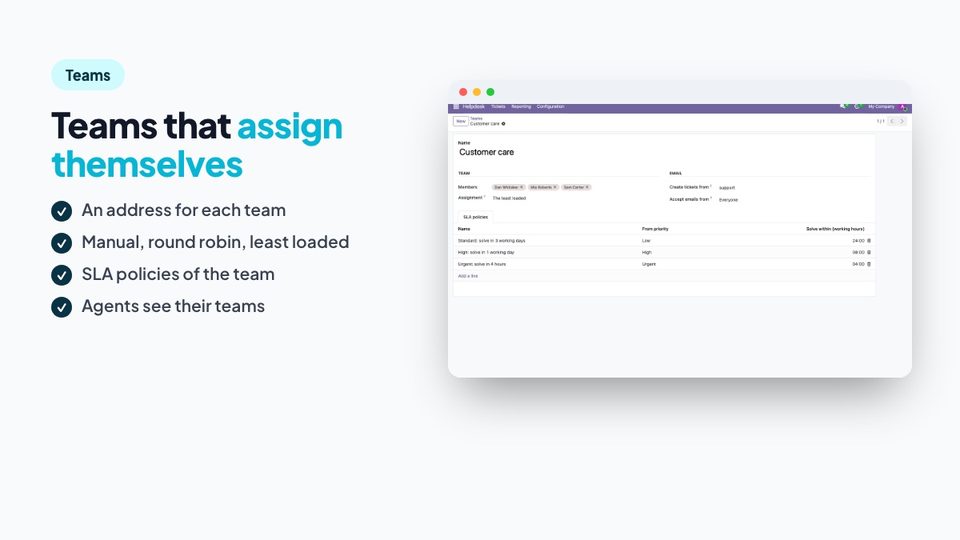
Teams with members and an assignment: manual, round robin or the least loaded
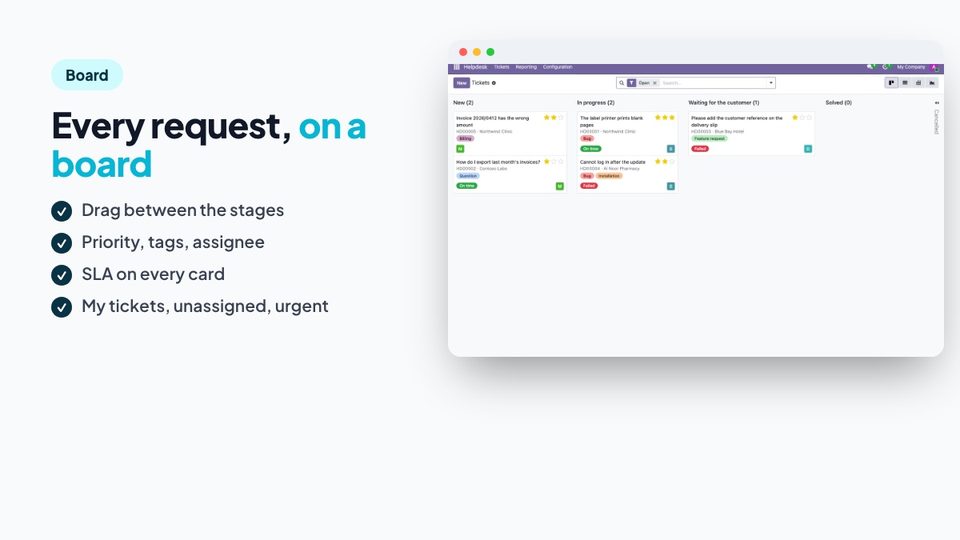
A kanban board of stages; priority, tags and SLA on each card
Solve a ticket and an email goes to the customer; the whole conversation stays in the chatter
SLA you can follow
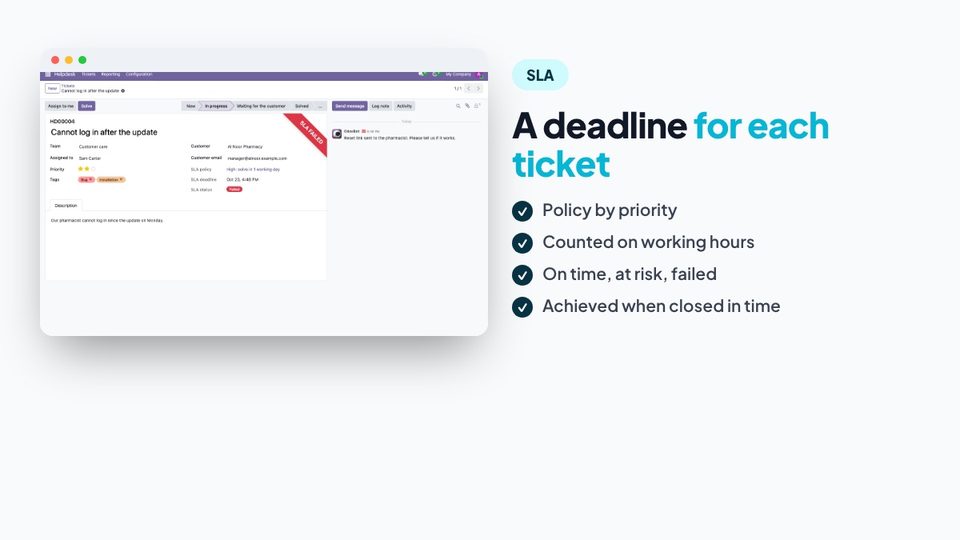
Policies by priority with a time to solve, counted on the working hours; the status On time, At risk, Failed or Achieved.
Reporting
Pivot and graph by team, stage, assignee and month; the hours to close.
Privacy
Agents see the tickets of their teams and their own; managers see all and configure.
Tested
31 automated tests: tickets and codes, the three assignment methods, closing and reopening, the solved email, SLA policies, deadlines and statuses, tickets from emails, access.
Documented
Illustrated documentation in English and Arabic and an Arabic translation of the module.
What's included
taqnix_helpdesk.zip: the Odoo 19 module (with Arabic translation)
Illustrated documentation in English and Arabic (HTML and PDF)
Automated tests, licence file (OPL-1) and changelog
Requirements
Odoo 19.0 Community with Discuss and Contacts.
What's in the download
The files in the archive you can download after you buy.
Tickets by hand or from email, with customer matching
Teams with manual, round robin or least-loaded assignment
Kanban board, priority, tags, stages with emails to the customer
SLA policies by priority on working hours with status
Pivot and graph reporting
Arabic translation, automated tests
Frequently asked questions
Does Odoo Community have a helpdesk?+
The Helpdesk app belongs to Odoo Enterprise. This module gives Community tickets, teams, SLA policies, a board and reporting.
How do emails become tickets?+
Each team has an address (an Odoo mail alias). An email sent to it creates a ticket in that team; the sender is found or created as a customer and the replies of your agents go back by email.
How are the tickets assigned?+
Manually, in turn (round robin), or to the member of the team with the fewest open tickets.
How do SLA policies work?+
A policy gives a time to solve from a priority and above, counted on the working hours of the company. The ticket takes the strictest policy of its team and shows On time, At risk, Failed or Achieved.
Is the customer told when the ticket is solved?+
Yes. The Solved stage sends an email to the customer; you can edit it, or add one to any stage.
Is there a customer portal?+
No. Customers follow their ticket by email.
Who sees the tickets?+
Agents see the tickets of the teams they belong to, and their own; managers see all and configure.
Does it work in Arabic?+
Yes. Everything is translated and works right to left, and the documentation is in Arabic too.
More from TAQNIX
ModuleNew
Leave Balance Report for Odoo 19 – Time Off Balance of Every Employee by Department, PDF and Excel
The time off balance of every employee in one report: allocated, taken, pending and remaining per leave type, by department, overdrawn flagged, as of any date.
Import Order Lines from Excel / CSV for Odoo 19 – Sales and Purchase Orders, Checked Before Import
Fill a quotation, sales order or purchase order from an Excel or CSV file: products by reference, barcode or name, every row checked first, with a template.
Bulk Price Update for Odoo 19 – Change Sales Prices and Costs of Many Products with Preview and Undo
Change the sales price or cost of many products at once: percentage, amount, fixed price or margin, rounding and .99 endings, an editable preview, a history and one-click undo.
Stock Aging & Dead Stock Report for Odoo 19 – Inventory Age Brackets, FIFO, Value and Slow Movers
How old is the stock on your shelves? Quantity and value by age bracket, counted first in first out, dead stock flagged, as of any date, in PDF and Excel.
Leave Balance Report for Odoo 19 – Time Off Balance of Every Employee by Department, PDF and Excel
The time off balance of every employee in one report: allocated, taken, pending and remaining per leave type, by department, overdrawn flagged, as of any date.
Import Order Lines from Excel / CSV for Odoo 19 – Sales and Purchase Orders, Checked Before Import
Fill a quotation, sales order or purchase order from an Excel or CSV file: products by reference, barcode or name, every row checked first, with a template.
Bulk Price Update for Odoo 19 – Change Sales Prices and Costs of Many Products with Preview and Undo
Change the sales price or cost of many products at once: percentage, amount, fixed price or margin, rounding and .99 endings, an editable preview, a history and one-click undo.
Stock Aging & Dead Stock Report for Odoo 19 – Inventory Age Brackets, FIFO, Value and Slow Movers
How old is the stock on your shelves? Quantity and value by age bracket, counted first in first out, dead stock flagged, as of any date, in PDF and Excel.